New Features Added To vHMML Reading Room
Collections News
New features added to vHMML Reading Room
Posted: 2026-08-06The most recent release of vHMML had three new additions:
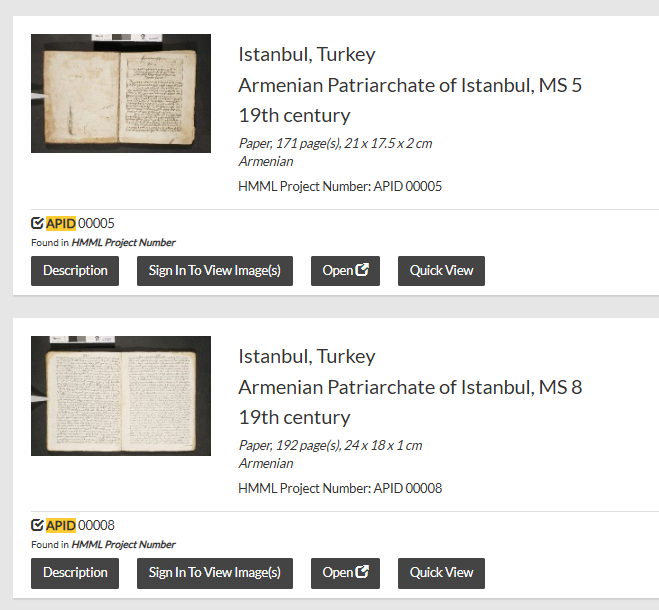
- Open in new Tab button on search results
- Quick View option on the search results screen
- Image Compare option
You will find the first two new buttons after searching, on the search result pages. The Open button, will open the object in a new tab. The second will open a data only, quick view for review. We hope that these will help you navigate the system and find those objects you need.
The final addition can help you compare images in vHMML. After you sign in, visit the About - > Compare Images page. Next, paste in two vHMML IIIF manifest URLs. Click the Load button. Click the Full Screen button. Hit ESC to go back to vHMML.
For a more detailed "how-to", check out this Compare Images video:
https://youtu.be/oq-_zbnMpVg
Image caption: Open objects in a new tab or Quick View